

LESSON 39 · Make it yours
Write in any language
Choose a writing profile for your screenplay. Attascript supports 123 languages and 150 styles.
1:48 · 1080p · Captions available · Playback starts only when you choose Play.
Choose a profile
In Format, open Primary Language and type to find a language. Select a regional style where available. Try Turkish General, then MinT. MinT puts the location first in scene headings and the speaker and dialogue on the same line. This sets the interface and the screenplay conventions. Use Translate to when you want the dialogue itself in another language.
Direction and numerals
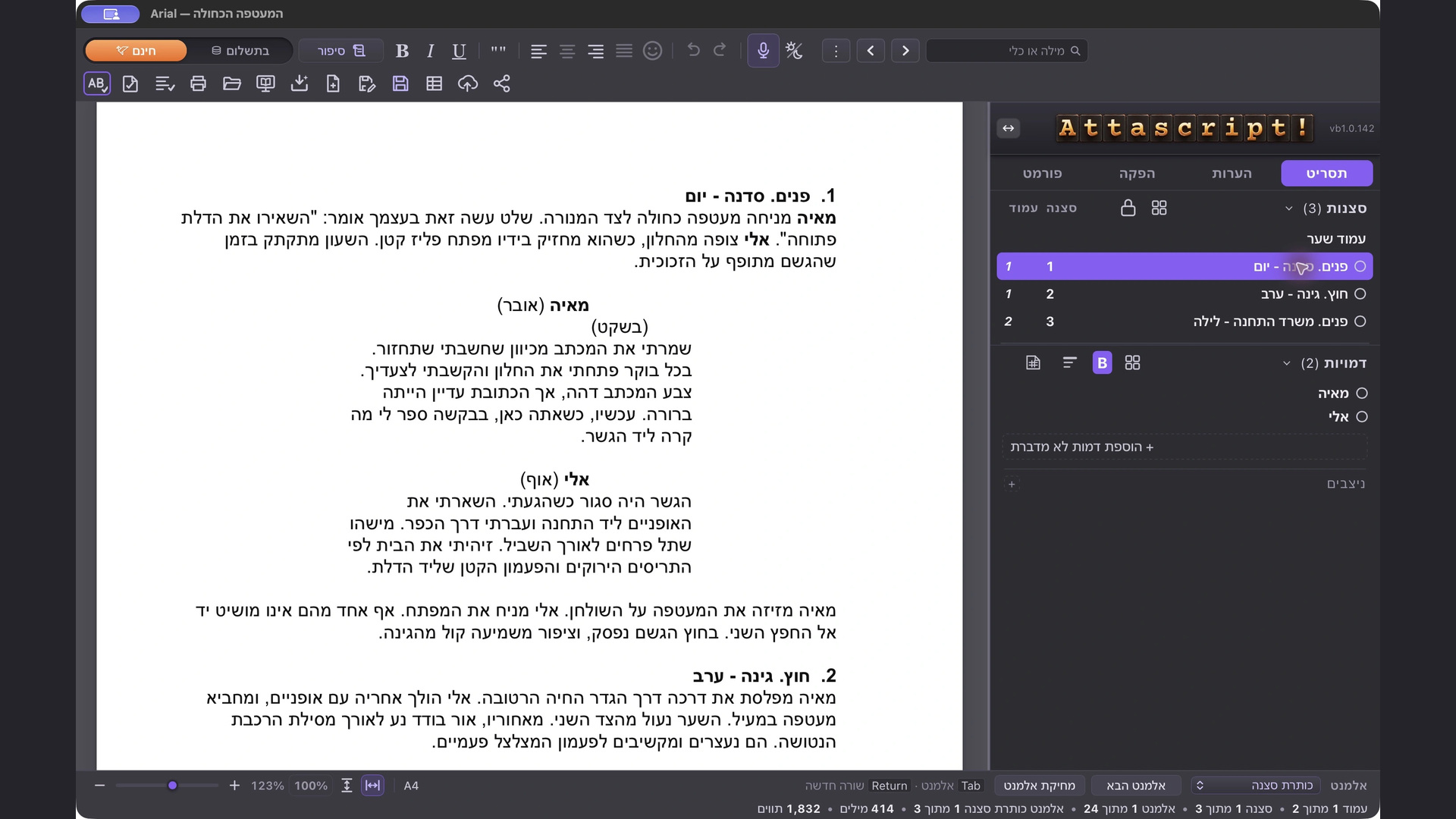
Compare the first heading in the English and Hebrew examples. In English, it starts on the left. In Hebrew, it reads from the right and the scene numbers appear at the heading. Hebrew, Arabic and Farsi use right-to-left text. The sidebar moves to the right automatically. The sidebar arrows let you choose its side.
Where the profile offers traditional numerals, use its numeral control and check the printed page.
Vertical layouts
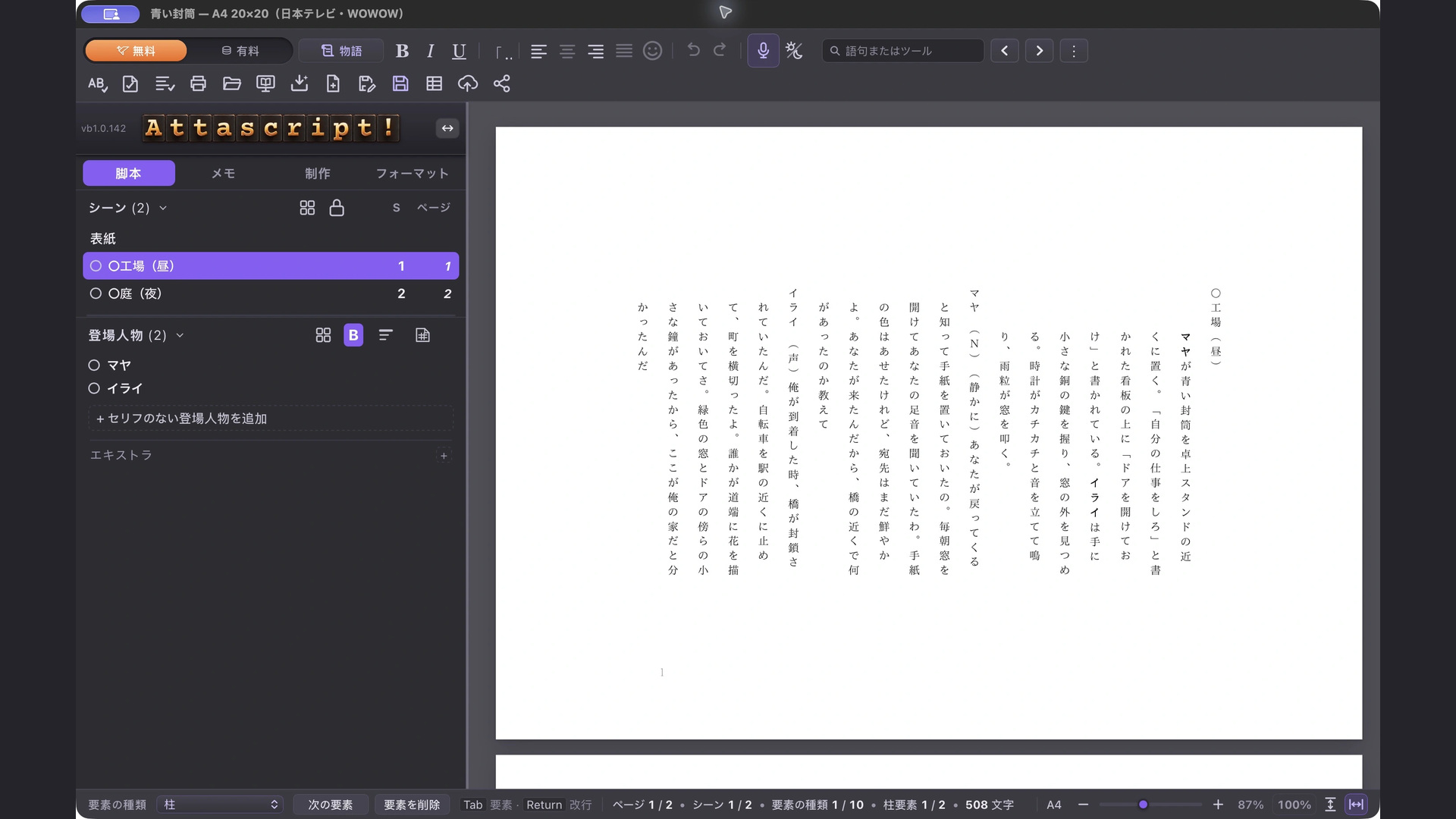
Start at the top of the rightmost column in the Japanese example. Read down, then move one column to the left. This A4 layout has 20 columns of 20 characters. The Simplified Chinese example runs horizontally. Cantonese (Hong Kong) also starts horizontally. In Format, turn on Vertical Writing to see that same Cantonese screenplay in columns. When a production or competition specifies a style, compare its page layout before you start writing.
Compare language and style examples
Open Language Profiles on the Attascript website. Under See your language on the page, choose a language to see its screenplay. Where several styles are available, select a style to see what changes. You can enlarge the page to inspect its typography and margins. Try Hindi’s SWA style, then compare the Bengali and Georgian pages. For examples from Africa, choose Amharic to see Ethiopic script and Swahili to see the Latin alphabet.
Back in Attascript, choose the language and style you need. If you use Gemini to translate a draft, review the result in the target language.
Explore the language and style examples